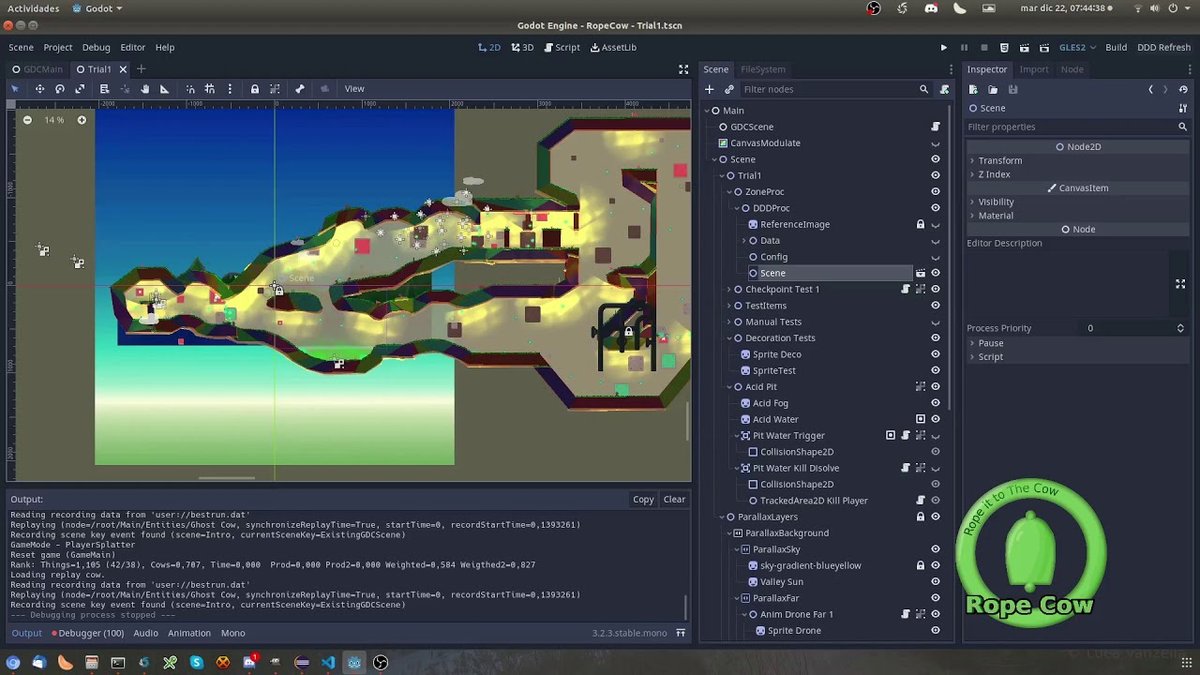
Imagine crafting an infinite labyrinth, a unique challenge emerging with every play, a world that builds itself for your players. That's the magic of procedural generation, and when it comes to Godot, few methods offer the elegant control and natural-looking results quite like Binary Space Partitioning (BSP). Delving into the features of Godot dungeon generation using BSP isn't just about understanding an algorithm; it's about unlocking a powerful toolkit to create dynamic, endlessly replayable experiences.
This guide isn't just theory; it's a deep dive into how BSP empowers you to build impressive, sprawling dungeons that feel both unpredictable and perfectly structured within the Godot Engine. We'll explore its underlying principles, practical implementation, and how you can leverage its strengths to breathe life into your game worlds.
At a Glance: Key Takeaways
- BSP is a Tree Structure: It recursively divides space into smaller partitions, forming a hierarchical tree.
- Organic Dungeon Layouts: Unlike strict grid-based systems, BSP naturally generates varied room shapes and sizes with winding corridors.
- Godot-Friendly Implementation: Easily integrated with Godot's
Node2DandTileMapsystems using GDScript. - High Customizability: You control room dimensions, corridor widths, padding, and the overall density of your dungeon.
- Foundation for Complexity: BSP provides a robust base upon which you can add intricate details like enemies, loot, and interactive elements.
- Efficient for Large Maps: Its recursive nature makes it scalable for generating vast and complex levels.
What is Binary Space Partitioning (BSP), Anyway? (And Why It Rocks for Dungeons)
At its heart, Binary Space Partitioning (BSP) is a method for organizing geometric objects in space by recursively dividing that space into two parts. Think of it like repeatedly cutting a piece of paper in half, either horizontally or vertically. Each cut creates two new pieces, and you can keep cutting those pieces further. This process forms a "tree" structure, where the original paper is the root, and each smaller piece is a "branch" or "leaf."
For dungeon generation, BSP takes a large, undefined area and slices it into progressively smaller rectangular "rooms." These aren't immediately rooms; they're partitions that will later become rooms or empty space. This recursive splitting continues until the partitions reach a minimum size or a desired depth of cuts has been made.
Why is this so fantastic for dungeons in Godot?
- Natural Variety: Instead of rigid, same-sized squares you might get from a purely grid-based system, BSP tends to produce rooms of varying dimensions and aspect ratios. This leads to dungeons that feel more organic and less "procedural" at first glance.
- Built-in Connectivity Potential: Because partitions are related through the tree structure, connecting them with paths or corridors becomes a logical step. You're not just scattering rooms; you're creating a connected network.
- Programmatic Control: Every step of the BSP process—from the initial split to the final room placement and path drawing—can be controlled by your code. This gives you immense power to fine-tune the "feel" and difficulty of your dungeons.
- Foundation for Detail: Once the basic structure is laid out, these clear room boundaries provide ideal spaces for populating with enemies, puzzles, loot, and environmental storytelling.
While other methods, like those focusing on pre-designed, connected rooms similar to The Binding of Isaac (as hinted at in forum discussions), offer their own advantages, BSP shines when you want a more emergent, less rigidly defined, yet structurally sound dungeon layout.
The Core Features of Godot Dungeon Generation with BSP
When you leverage BSP for your Godot projects, you're tapping into a set of powerful features that streamline the creation of complex and engaging levels.
1. Recursive Space Division: The Blueprint of Chaos
The most fundamental feature of BSP is its recursive nature. You start with a single, large space (your dungeon's maximum bounds). The algorithm then picks an orientation (horizontal or vertical) and a split point, dividing the space into two child partitions. This process then repeats for each child partition, going deeper and deeper into the "tree."
- Dynamic Layouts: Each dungeon run can choose different split orientations and percentages, ensuring truly unique layouts every time. This is where the "procedural" magic truly happens, creating diverse room arrangements that are never quite the same.
- Controlled Complexity: You define how many times the space is split (
remainingin some implementations). More splits mean more, smaller rooms; fewer splits mean larger, fewer rooms. This gives you a direct knob to control the density and scale of your dungeon. - Aspect Ratio Preservation: Smart BSP implementations will analyze the aspect ratio of a partition before splitting. If a partition is very wide, it might prefer a vertical split to prevent rooms from becoming impossibly long and narrow. This feature helps maintain aesthetically pleasing room proportions.
2. Room and Corridor Creation: From Partitions to Playable Spaces
The raw partitions created by BSP aren't immediately playable rooms. They are merely rectangular areas. The next crucial step is transforming these partitions into distinct rooms and connecting them with traversable corridors.
- Padding for Distinct Rooms: A common technique is to "shrink" the actual room within its assigned partition by adding padding on all sides. This creates visible walls or empty space between rooms, making them distinct and preventing them from butting directly against each other in an unnatural way. You can even randomize this padding for more variety.
- Defined Room Boundaries: Each final "leaf" in the BSP tree (a partition that isn't split further) becomes a potential room. The algorithm defines its
positionandsize, giving you clear coordinates to place your tiles or objects. - Automated Path Generation: After defining rooms, the algorithm typically finds the center of adjacent or related rooms (often, rooms that share a common "parent" split in the tree) and draws paths or corridors between them. These paths ensure the dungeon is traversable from start to finish, creating the intricate network players will explore.
3. Procedural Control and Customization: Tailoring Your Dungeons
One of the greatest strengths of BSP in Godot is the degree of programmatic control you gain over the dungeon's characteristics.
- Dynamic Room Sizing: By randomizing the split percentage, you can ensure rooms aren't uniform. Some might be large, others small, leading to varied combat encounters or exploration opportunities.
- Corridor Management: You can control the width and length of corridors, influencing how open or claustrophobic your dungeon feels. Tweak the logic for path generation to create straight hallways or more winding connections.
- "Empty" Spaces: Not every partition needs to become a room. You can introduce a chance for some partitions to remain "empty" or become special areas (e.g., hidden rooms, traps), increasing variety and surprise.
- Seeding for Repeatability: While you want uniqueness, sometimes you need to recreate a specific dungeon for testing or speedrunning. BSP can be seeded with a random number generator, allowing you to generate the exact same dungeon layout multiple times if needed.
4. Seamless Godot Integration: Building with Engine Tools
Godot provides excellent tools that pair perfectly with BSP generation, making the implementation relatively straightforward.
- GDScript and Custom Classes: You can easily create a reusable
Branchclass using Godot'sclass_namefeature. This class encapsulates all the logic for a single partition, its children, and its properties, making your code clean and modular. Node2Dfor Visualization: Initially, you can use a simpleNode2Dand its_draw()function to visualize the BSP partitions as colored rectangles. This is an invaluable debugging step to see your splits taking shape before committing toTileMaps.TileMapfor World Building: Godot'sTileMapnode is the natural fit for rendering your generated dungeons. By setting tilesource_ids andatlas_coords, you can dynamically draw floors, walls, and other static elements directly from your BSP-generated coordinates. This makes switching between different tilesets or adding visual flair incredibly simple.- Scene Instancing: Once you have your room coordinates, you can instance pre-designed scene files (e.g., a "RoomA.tscn" with furniture and enemies) into those locations, bringing your dungeon to life with interactive elements. This approach combines the flexibility of procedural generation with the polish of hand-crafted content. You might even find a Godot Dungeon Generator Addon that simplifies this process further.
5. Pathfinding and Connectivity: Ensuring a Playable Journey
A dungeon isn't much fun if you can't get from point A to point B. BSP naturally facilitates robust connectivity.
- Guaranteed Reachability: Because paths are typically drawn between closely related partitions (often those sharing a common parent split), you can ensure that all "leaf" rooms are connected to the main dungeon network.
- Control Over Path Style: You can generate paths as simple lines between room centers, or elaborate on the logic to create more winding, offset, or even multi-segment corridors. This flexibility allows for distinct dungeon aesthetics.
- Avoiding Dead Ends (Usually): While not inherently foolproof against all dead ends (especially if your path-drawing logic is too restrictive), the tree-like nature of BSP usually leads to a more interconnected graph compared to purely random room placement. Further refinement can eliminate truly isolated sections.
Behind the Scenes: A Peek at the Godot BSP Implementation
Let's pull back the curtain a bit and see how these features translate into practical Godot development. We won't write full code, but we'll outline the key components and their roles.
Building the BSP Tree: The Branch Class
The foundation of your BSP system in Godot will likely be a custom Branch class. This isn't a node in your scene tree, but a data structure that represents a rectangular partition of space.
gdscript
branch.gd
class_name Branch
var position: Vector2i # Top-left corner of this branch's rectangle
var size: Vector2i # Width and height of this branch's rectangle
var left_child: Branch # One of the two sub-branches
var right_child: Branch # The other sub-branch
var padding: Vector4i # (up, down, left, right) for room boundaries
func _init(p_position: Vector2i, p_size: Vector2i):
position = p_position
size = p_size
Initialize children as null
left_child = null
right_child = null
padding = Vector4i(0, 0, 0, 0) # Default no padding
func get_leaves() -> Array[Branch]:
Recursively collect all branches that have no children (these are our potential rooms)
if left_child == null and right_child == null:
return [self]
else:
var leaves = []
if left_child:
leaves.extend(left_child.get_leaves())
if right_child:
leaves.extend(right_child.get_leaves())
return leaves
func get_center() -> Vector2i:
return position + size / 2
... more functions for splitting, room generation etc.
This Branch class will hold the geometric data for each partition and provide methods to navigate the tree (like get_leaves() to find all final rooms) and to get useful information like its center point.
The Recursive Split Logic: How split() Works its Magic
The core of the BSP algorithm resides in a split() function within your Branch class. This function takes a Branch and divides it into two new Branch instances (its left_child and right_child).
- Decision to Split: The function first checks if the branch is too small to split further, or if a maximum split depth has been reached.
- Horizontal or Vertical? It intelligently decides whether to split horizontally or vertically. Often, this is based on the aspect ratio: if the rectangle is wider than it is tall, it might prefer a vertical split to avoid creating super-thin rooms.
- Split Point Randomization: A random percentage determines where the split occurs along the chosen axis. This ensures varied room sizes.
- Recursive Calls: After creating the two new child branches, the
split()function calls itself on each child, continuing the subdivision until the conditions for stopping are met. Thisremainingcounter (how many more splits to perform) is crucial for controlling complexity.
Keeping all coordinates as integers (Vector2i) is a common practice, especially when you plan to align everything perfectly with a tilemap later on.
Drawing the Dungeon with TileMaps: From Rectangles to Tiles
Once your BSP tree is generated and you have a list of all "leaf" branches (your potential rooms), you'll use Godot's TileMap node to render the dungeon.
- Setting Up Your
TileMap: You'll need aTileMapnode in your scene, with aTileSetasset configured. ThisTileSetcontains your floor, wall, and other dungeon tiles, each with a uniquesource_idandatlas_coords. - Referencing the
TileMap: Your main dungeon generation script will need a reference to thisTileMapnode (e.g., using@onready var tilemap: TileMap = $TileMap). - Drawing Rooms with Padding: For each "leaf"
Branch, you iterate through its internal cells. You'll apply thepaddingVector4i(up, down, left, right) to determine if a given cell is part of the "floor" area or the "padding/wall" area.
- Floor cells get drawn with your floor tile (
tilemap.set_cell(layer, coords, source_id, atlas_coords)). - Padding cells might get drawn as empty space or, more commonly, as walls.
- This is where your
is_inside_padding()function comes in handy.
- Connecting the Dots: Paths: For each pair of connected
Branches (often those that were siblings after a split), you'll calculate their centers usingbranch.get_center()and then draw a line of floor tiles between them. This path array is usually constructed during the splitting process itself.
This process transforms abstract rectangular data into a tangible, tile-based dungeon, ready for interaction.
Beyond the Basics: Taking Your Dungeons Further
Once you have a solid BSP generator, the real fun begins. Here are some ideas to elevate your dungeons:
- Adding Walls and Decorative Tiles: Your
TileMapshould contain various wall tiles (corner, straight, T-junctions, etc.). After drawing the floor, iterate through the cells around each room and path. If a cell is empty but adjacent to a floor tile, place a wall. Intelligent wall placement (considering adjacent walls for corners/junctions) adds significant visual polish. - Randomized Object Placement: Once rooms are defined, you can randomly place objects like chests, enemies, torches, or interactive elements. Create "spawn points" within room boundaries and use
randi()to decide what (if anything) goes there. For larger projects, consider a Godot Dungeon Generator Addon that might include features for object distribution. - Varied Room Themes/Encounters: Tag rooms based on their size or proximity to the dungeon entrance. Large rooms might be boss arenas, small rooms might hold puzzles. Use these tags to spawn specific enemy types, set visual themes, or place unique interactables.
- Door Placement: Instead of just drawing open paths, strategically place doors at corridor intersections or room entrances. This adds a layer of design and can be used for locking/unlocking mechanics.
- Multiple Layers (Z-axis): While BSP typically works in 2D, you could extend the concept to generate multi-floor dungeons. Each floor could be a separate BSP generation, with stairs or elevators connecting specific points between levels.
- Pathfinding Obstacles: Introduce dynamic obstacles or environmental hazards that block certain paths, forcing players to find alternative routes or solve puzzles to clear the way.
Common Questions & Troubleshooting Your BSP Dungeons
Even with a robust algorithm, you might run into common challenges.
Q: My rooms are too long and narrow, or too square! How do I control their shape?
A: This is where the aspect ratio check during the split() function is critical. Ensure your split logic prioritizes splitting along the longer dimension of a partition. For example, if width > height, prefer a vertical split. You can also enforce minimum aspect ratios for rooms.
Q: Some of my rooms are inaccessible, or paths don't always connect. What's wrong?
A:
- Path Generation Logic: Double-check how you're choosing which rooms to connect. The most reliable method is connecting siblings (branches that share a common parent split) or connecting the current branch's center to its children's centers.
- Padding Issues: Excessive padding can sometimes "eat" away at a room, making it too small for a path to properly connect, or even creating unreachable segments. Ensure your padding values are reasonable for your tile size.
- Tilemap Alignment: Make sure all your calculations (position, size, padding) are perfectly aligned with your
TileMap'scell_size. Mismatched integer vs. float calculations can lead to off-by-one errors.
Q: My dungeon generation takes too long for large maps. How can I optimize it?
A: - Recursion Depth: The
remainingsplits parameter directly impacts the number of rooms and complexity. Reduce it for faster generation, or apply it selectively. - Drawing Efficiency: Drawing individual cells with
set_cell()can be slow for very large maps. For a major performance boost, consider usingset_cells_rect()orset_pattern()if yourTileMapsupports it, orset_cells_v()to draw many cells at once. - Separate Generation and Drawing: Generate the data structure (the
Branchtree) first, then draw it. Don't interleave heavy drawing operations within the recursive splitting.
Q: How do I make certain areas bigger or guarantee a "start" and "end" room?
A: - Start/End Rooms: You can tag specific branches (e.g., the very first leaf generated, or the one furthest from the starting point) as "start" or "end" rooms, and then customize their content after the general layout is done.
- Influencing Splits: You can bias the random split percentages in certain areas or during specific recursive calls to create larger or smaller regions. For example, the initial few splits might be encouraged to create larger "zones" that are then further subdivided.
Your Next Adventure: Building Your Own BSP Dungeon
The journey into procedural generation with Godot and BSP is incredibly rewarding. You now understand the fundamental features of Godot dungeon generation using this powerful algorithm, from its recursive splitting logic to its seamless integration with Godot's TileMap system.
Don't just read about it—try it! Start with a simple Node2D and _draw() to visualize your BSP splits as green rectangles. Then, slowly introduce TileMaps, padding, and path generation. Experiment with different random seeds and split parameters. The beauty of procedural generation is that every tweak can lead to unexpected and delightful results.
With these tools and a bit of creativity, you're well on your way to crafting dynamic, ever-changing dungeons that will keep your players on the edge of their seats, exploring worlds that truly feel unique with every playthrough. Happy generating!